Start With What You Need
If you want to know how to choose an IPTV service, compare the practical details before you look at channel counts: which devices it supports, how many screens can play at once, what the refund terms are, how you reach support, and how payment and activation work. Write your own answers down first, then hold each service up against them.
The term itself is looser than it sounds. Wikipedia's definition describes IPTV as television delivered over Internet Protocol networks, and says it is usually sold and run by a telecom provider. It also says IPTV is distinct from over-the-top services. Many consumer services sold today work differently from that classic setup, so a label on a website tells you little. The checklist below tells you more.
The Six-Point Checklist
These six checks cover most of what goes wrong after payment. Ask each provider the same questions and compare the answers side by side.
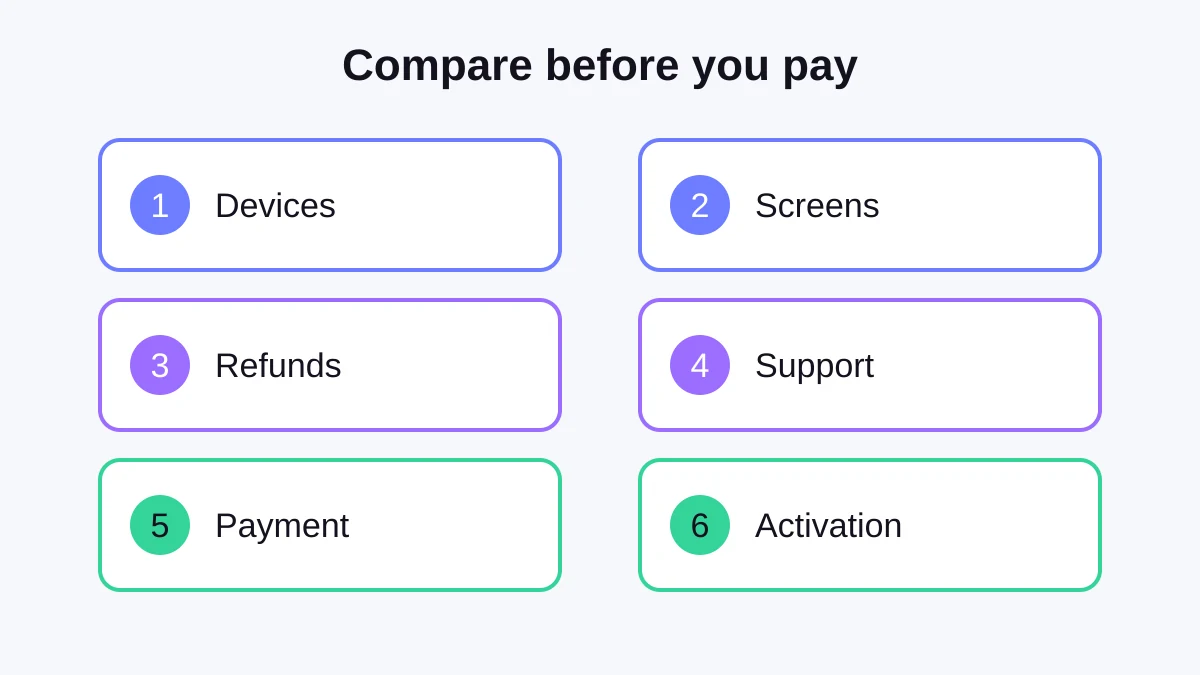
| Check | What to ask | What a clear answer looks like |
|---|---|---|
| Devices | Does it work on my TV, phone or box? | A named list of supported devices |
| Screens | How many can play at once? | A fixed number, tied to each price |
| Refunds | What happens if it does not work for me? | A stated period and a written policy |
| Support | How do I reach a person? | Named channels, listed in full |
| Payment | Which methods, and does it auto-renew? | Plain answers before you pay |
| Activation | What do I send, and who finishes setup? | Written steps you can read first |
If a provider cannot answer a row before you pay, treat that as useful information.
Supported Devices and Player Apps
Check the device list first, because a service that does not run on your screen is no use at any price. Look for named devices, not vague phrases like "works everywhere."
MediaLen.tv lists these: Amazon Fire Stick, Android TV, iPhone and iPad, Smart TVs from Samsung and LG, MAG Box and Roku. For the first four, you install IBO Player, then send us the MAC Address and Device Key shown on screen. For MAG Box and Roku, the MediaLen.tv team handles setup.
Also ask about player apps. MediaLen.tv works with any IPTV player that supports M3U or Xtream credentials, so if you already like a player, you can keep it. Your M3U URL is available in My Accounts. If you want a device recommendation first, see our guide to a streaming device, and for a worked example read how to set up MediaLen.tv on Firestick.
Simultaneous Screens and Pricing
The number of screens that can play at the same time often changes the price more than anything else, so compare like with like. A one-screen price next to a four-screen price tells you nothing.
On MediaLen.tv, every price depends on both plan length and device count, from 1 to 4 simultaneous devices. The lowest advertised rate is $5.00 per month, which is the 1 device price on the longest plan, a total of $59.99 for 1 device. Households with several viewers should price the 2, 3 or 4 device tiers instead of assuming the lowest figure applies.
When you compare any services, ask these questions:
- How many devices can stream at the same moment?
- Is the price shown for that exact device count?
- Is the plan length clear, and does the cheapest rate need a long commitment?
You can see every tier on the MediaLen.tv plans page.
Refunds and Renewal Terms
Read the refund and renewal terms before you pay, not after a problem. A good answer is specific: a stated period, a written policy, and a clear statement about renewing.
MediaLen.tv offers a 7-day money-back guarantee. If you have a technical issue, contact support first. Refund requests are handled according to the Refund Policy. Your subscription does not renew automatically, and you can renew it manually before it expires by buying a new plan or asking support to help.
When comparing, ask whether a service renews on its own. A manual renewal means no surprise charge later, but you need to remember the expiry date.
Support Channels
Look for named support channels you can actually reach, and be wary of promises you cannot verify. Check whether support helps with setup, billing and account questions.
MediaLen.tv has two channels. One is the WhatsApp chat, which the site shows as the Live Chat button; it is the same channel, not a separate one. The other is email at support@medialen.tv. There is also a Client Portal for managing your subscription, devices and payment details, and a Help Center with setup guides.
If a problem happens on every device and every network, contact support through either channel.
Payment and Activation
Ask how payment is confirmed and what you must do afterwards, because this is where a purchase turns into a working service.
For most devices on MediaLen.tv, you install IBO Player, open it, and send us the MAC Address and Device Key it shows. Our team then activates your playlist. For MAG Box, you send your MAC address by WhatsApp chat or email, and after payment is confirmed we send your portal link. Activation usually takes a few minutes for card payments. Crypto and manual payments are confirmed by our team.
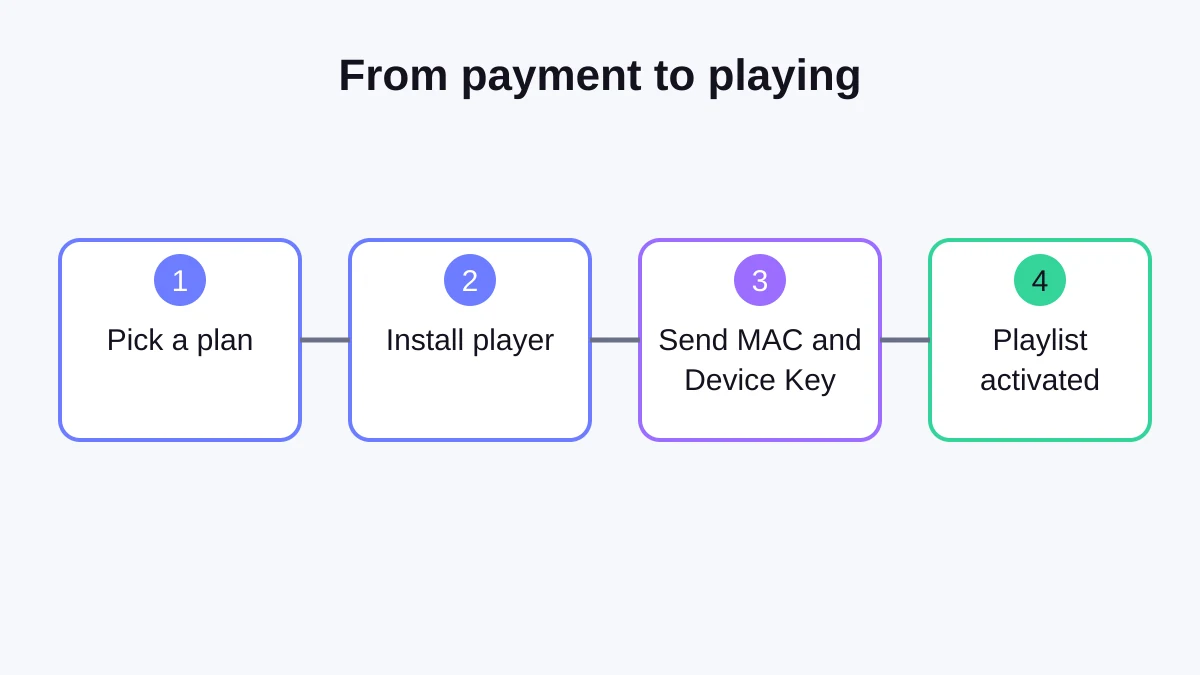
A service that explains these steps in writing before you pay is easier to trust than one that says "just sign up."
Where MediaLen.tv Fits
MediaLen.tv publishes answers to each point above: named devices, 1 to 4 simultaneous devices, a 7-day money-back guarantee, manual renewal, and two support channels. The catalogue is 22,000+ live channels across 45+ regions and 100,000+ movies and shows on demand.
If you are still unsure what the format involves, our IPTV subscription page explains it, and the IPTV vs cable post covers costs against traditional TV. If streams stutter after you start, the IPTV buffering fix guide for Android TV lists what to check. When you are ready to compare tiers, the plans page shows each plan length by device count.
Reviewed by Nour-eddine, who runs MediaLen.tv.
Frequently asked questions
What should I check first when comparing IPTV services?
Start with devices. Confirm the service works on the screens you own, then check how many can play at the same time, what the refund terms are, how you reach support, and how payment and activation work.
Does MediaLen.tv renew my subscription automatically?
No. Your subscription does not renew automatically. You can renew it manually before it expires by purchasing a new plan or contacting support.
Does MediaLen.tv offer a refund?
MediaLen.tv has a 7-day money-back guarantee. If you hit a technical issue, contact support first. Refund requests are handled according to the Refund Policy.
Can I use my own IPTV player with MediaLen.tv?
Yes. MediaLen.tv works with any IPTV player that supports M3U or Xtream credentials, not only IBO Player. Your M3U URL is available in My Accounts.
How can I contact MediaLen.tv support?
There are two channels: the WhatsApp chat, shown on the site as Live Chat, and email at support@medialen.tv. If a problem happens on every device and every network, contact support.