What an M3U File Is
What is an M3U file? It is a plain-text playlist that tells a media player where to find one or more pieces of media. The file does not contain the video or audio. It only lists locations, and the player follows them. Wikipedia describes M3U as a file format for a multimedia playlist, and says it is commonly used to point media players to audio and video sources, including online ones.
The name comes from "MP3 URL". It was originally designed for audio files such as MP3, and it was first developed by Fraunhofer for its WinPlay3 software. Many players and apps support it today.
What Is Inside the File
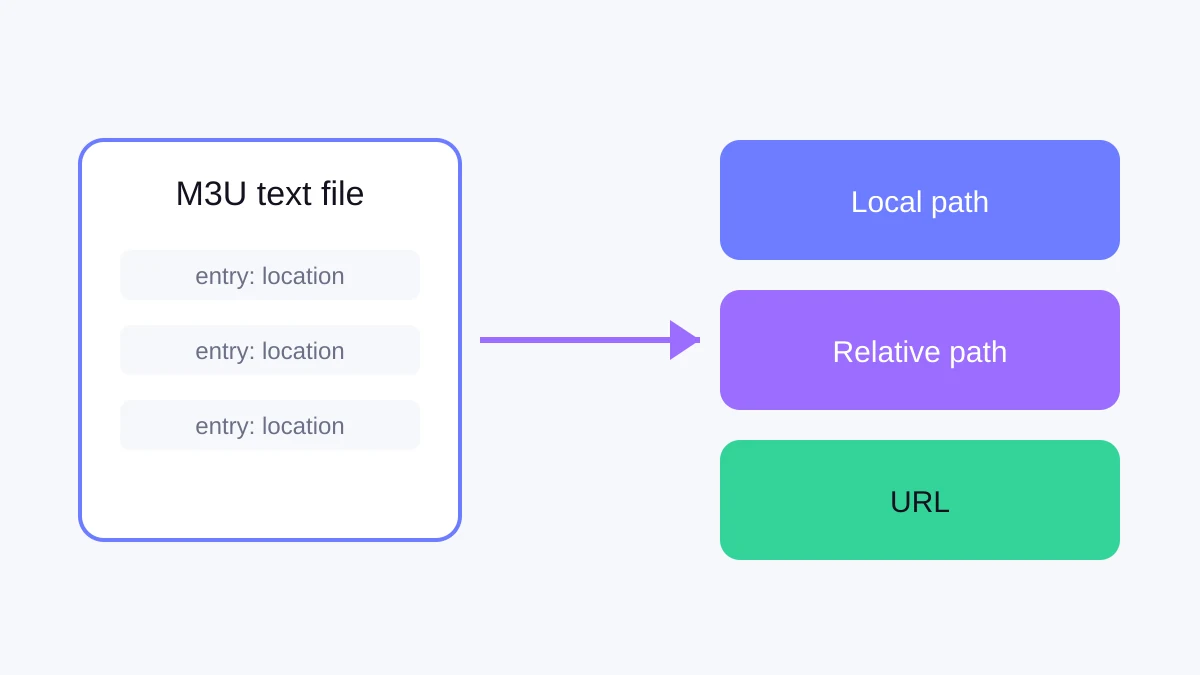
Open an M3U file in any text editor and you will see ordinary lines of text. Per Wikipedia, each entry carries one specification, and it can be any one of these:
- an absolute local path, such as a full file location on a computer
- a local path relative to the M3U file's own location
- a URL
Each entry ends with a line break that separates it from the next. Wikipedia also notes that some devices accept only CR LF line breaks and do not recognize a single LF. That is one reason a hand-edited file can fail on one device and work on another.
Playlist formats built on similar ideas use the same line-based layout. One related specification says lines in a playlist are either a URI, blank, or start with the # character, and that lines starting with # are comments or tags (RFC 8216, section 4.1). Many M3U files you meet in practice also use # lines for extra details, but M3U itself has no formal specification.
.m3u vs .m3u8
The two extensions differ in text encoding. A file is saved as .m3u if its text uses the local system's default non-Unicode encoding, such as a Windows codepage. It is saved as .m3u8 if the text is UTF-8 encoded. Both are still plain text lists of locations.
No Formal Standard
Wikipedia states there is no formal specification for M3U; it is a de facto standard. In plain terms, apps agree on the basics, but small details can differ from one app to another. That is why a playlist can load in one player and give an error in another.
Handling matters too. Wikipedia notes that careless handling of M3U playlists has caused vulnerabilities in many music players. A sensible habit is to use playlist files and links only from sources you trust, and to avoid sharing your own link publicly.
Why a Player App Asks for One
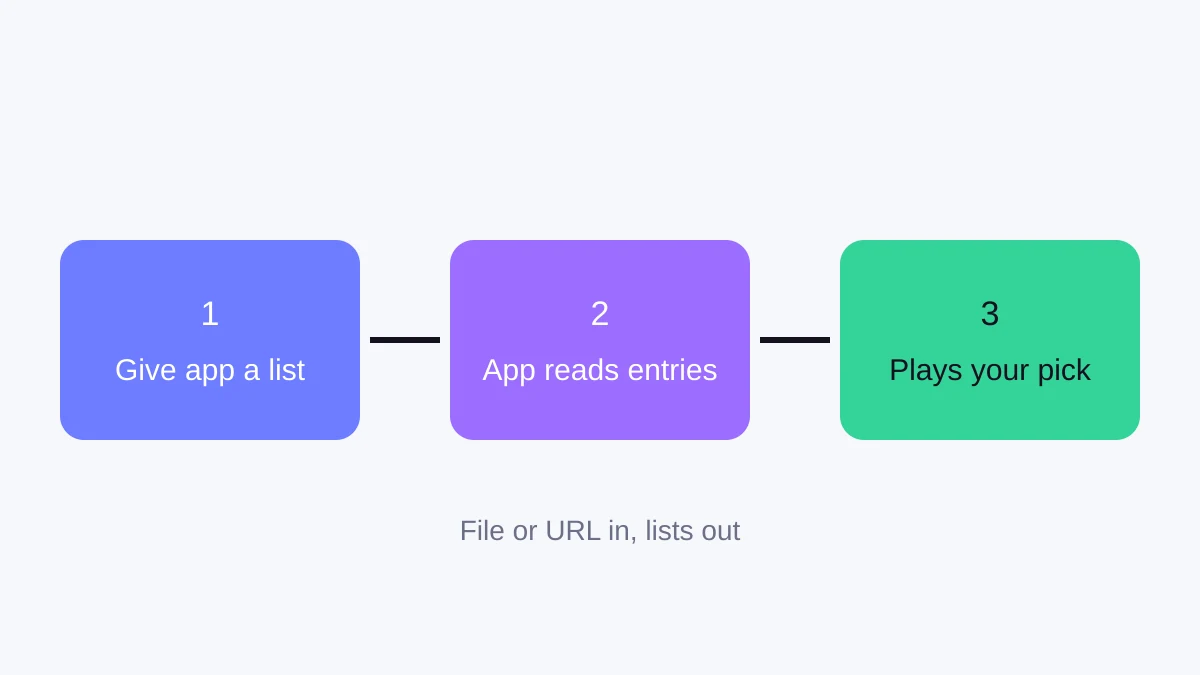
Most IPTV player apps are empty shells. They play media, but they do not know what to play until you give them a list. An M3U file or an M3U URL is one way to hand over that list. The app reads the entries, builds its channel and video lists, and loads each item from its location when you pick it.
A URL version works the same way. Instead of uploading a file, you paste a web address, and the app fetches the playlist from it. If the playlist changes on the server side, the app can pick up the new version the next time it reloads.
File or URL: Which Do You Need?
| Item | What it is | When you see it |
|---|---|---|
| M3U file | A text file saved on your device | When an app lets you import a file |
| M3U URL | A web address that points to a playlist | When an app asks you to paste a link |
| Xtream credentials | A username, password and server details | When an app offers a login option instead of a playlist |
The exact wording differs by app and app version, so look for an option to add a playlist, an M3U URL or a login.
Common Reasons a Playlist Fails to Load
When a player will not accept a playlist, these are the usual things to check:
- The link was copied with a missing character or an extra space.
- The file was edited and saved with a different encoding or line break style.
- The app expects a URL but you gave it a file, or the other way round.
- The internet connection dropped while the app was fetching the list.
After each fix, reload the playlist in the app. If the lists fill with entries, it worked. If the problem happens on every device and every network, contact support.
M3U and MediaLen.tv
MediaLen.tv works with any IPTV player that supports M3U or Xtream credentials, not only IBO Player. If you already have a player you like, keep using it: your M3U URL is always available in My Accounts. For supported devices such as Fire Stick, Android TV, iPhone and iPad, and Samsung or LG Smart TVs, setup uses IBO Player, and for MAG Box and Roku the MediaLen.tv team handles setup.
For the steps to add a playlist, see our how-to post on adding an M3U playlist. To pick hardware, read our guide to streaming devices. If you are setting up on Amazon hardware, see how to set up MediaLen.tv on Firestick. Streaming that stutters after setup is covered in our IPTV buffering fix.
To see what is included and compare lengths and device counts, visit our plans. The lowest advertised rate is $5.00 per month, which is $59.99 for the 1-device, 1 Year plan. You can also read the overview of an IPTV subscription. If you have questions, reach support through the WhatsApp chat (the Live Chat button on the site opens it) or email support@medialen.tv.
Reviewed by Nour-eddine, who runs MediaLen.tv.
Frequently asked questions
Is an M3U file a video?
No. An M3U file is a small plain-text file. It holds locations of media, not the audio or video itself. The player reads those locations and then loads the media from them.
What is the difference between .m3u and .m3u8?
Per Wikipedia, the extension depends on text encoding. A file is saved as .m3u if the text uses the system's default non-Unicode encoding, and as .m3u8 if the text is UTF-8 encoded.
Can I open an M3U file in a text editor?
Yes, because it is plain text. You will see lines of locations, and often some extra lines starting with a # character. Be careful when editing, since a stray character or changed line break can stop a player from reading it.
Does MediaLen.tv work with M3U?
Yes. MediaLen.tv works with any IPTV player that supports M3U or Xtream credentials, not only IBO Player. Your M3U URL is always available in My Accounts.
Where can I get help if my player will not accept my playlist?
Contact support through the WhatsApp chat (the Live Chat button on the site opens it) or email support@medialen.tv. If the problem happens on every device and every network, contact support.