What an Electronic Program Guide Is
What is an electronic program guide? It is a menu on your screen that lists what is on now and what is coming up next. Wikipedia describes electronic programming guides as menu-based systems that give users of television, radio and other media applications continuously updated menus showing scheduling information for current and upcoming programming, most commonly TV listings. People usually just call it the guide, the TV guide, or the EPG.
Some guides also let you scroll backward to promote catch-up content, according to the same source. So a guide is not only a look at tomorrow evening. In some products it also points back at what already aired.
Two Kinds of Guide
There are two main kinds, and the difference is who controls the menu.
Non-interactive guides
The older style is a non-interactive menu. Per Wikipedia, a cable or satellite provider shows it on a dedicated channel. It is produced by specialized equipment at the provider's central headend facility. You tune to that channel and see a list of current and upcoming shows on all available channels. You watch it; you do not steer it.
Interactive guides
The more modern form is the interactive guide, often still called an EPG. Wikipedia says it lets viewers and listeners navigate scheduling menus, selecting and discovering programming by time, title, channel or genre. You use an input device such as a keypad, keyboard or TV remote.
This is the version you meet in an app.
Where the Schedule Data Comes From
An interactive guide does not store a fixed list. Its menus are generated entirely within the local receiving or display equipment, using raw scheduling data sent by individual broadcast stations or centralized scheduling information providers, according to Wikipedia. In plain terms: the device draws the grid, and a data feed fills it in.
The same source adds that this data may be distributed over the Internet, either for a charge or free of charge, and used on equipment connected directly or through a computer to the Internet. That is the reason a guide can reach apps and streaming boxes, not only cable boxes.
Wikipedia also says a typical interactive guide covers a span of seven or 14 days. Treat that as a general description of the format, not a promise about any single app.
| Part | What it does |
|---|---|
| Schedule data | Raw listings sent by stations or scheduling providers |
| Your device or app | Builds the menu from that data |
| Your remote or touch input | Lets you browse by time, title, channel or genre |
How the Guide Appears in an IPTV Player App
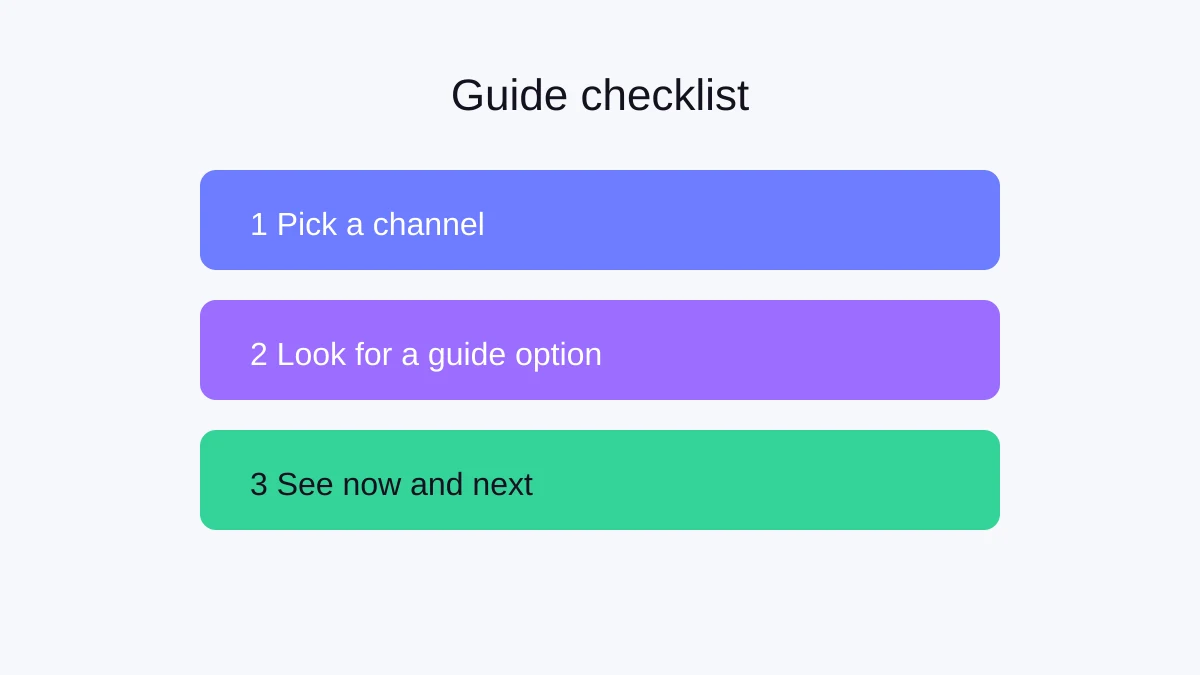
In an IPTV player, the guide is the grid or list that sits next to your channel list. You pick a channel, and the app shows what is airing and what follows, if it has schedule data for that channel. The app is the receiving equipment in the description above: it builds the menu, and the data arrives over the Internet.
Because the guide is built by the player, its layout differs from app to app. Some show a full grid by time. Others show a short now and next line under the channel name. Look for a guide, TV guide or EPG option in your player, and know that labels vary by app version.
MediaLen.tv works with any IPTV player that supports M3U or Xtream credentials, and your M3U URL is always available in My Accounts. Our IPTV subscription page explains the service, and the M3U explainer style checklist in our guide on choosing a service covers what to compare. If you are still picking hardware, see best devices for streaming, and for a Fire TV walkthrough read how to set up MediaLen.tv on Firestick.
If the Guide Will Not Load
An empty or stuck guide is a separate problem from the concept, and we keep that fix in its own post. Start with the IPTV buffering fix if playback is also slow, since both can involve your connection. Check that the player app is up to date, that the device is online, and that the playlist details in the app match what is in My Accounts.
If the problem happens on every device and every network, contact support. Use the WhatsApp chat (the Live Chat button on the site opens it) or email support@medialen.tv.
Where MediaLen.tv Fits
MediaLen.tv offers 22,000+ live channels across 45+ regions, plus 100,000+ movies and shows on demand, in one app on any device. The guide you see depends on the player you use, so pick an app whose guide layout you like. When you are ready to compare options, see our plans. Prices depend on plan length and on 1 to 4 devices; the lowest advertised rate is $5.00 per month for 1 device on the longest plan, at $59.99 total for 1 device.
Reviewed by Nour-eddine, who runs MediaLen.tv.
Frequently asked questions
Is an EPG the same as a TV guide?
Mostly yes. Wikipedia notes that electronic programming guides are commonly known as guides or TV guides. They are menu-based systems that show scheduling information for current and upcoming programming.
Where does EPG data come from?
For interactive guides, the menus are built on the receiving device from raw scheduling data sent by broadcast stations or centralized scheduling information providers. That data may be distributed over the Internet, for a charge or free of charge.
How many days does a guide usually cover?
According to Wikipedia, a typical interactive guide covers a span of seven or 14 days. Coverage in a specific app depends on the data it receives.
Does MediaLen.tv work with any player that shows a guide?
MediaLen.tv works with any IPTV player that supports M3U or Xtream credentials, not only IBO Player. How a guide looks depends on the player app you choose.
What should I do if the guide is empty on every device and network?
Contact support. You can use the WhatsApp chat (the Live Chat button on the site opens it) or email support@medialen.tv, and tell us which devices and networks you tried.